
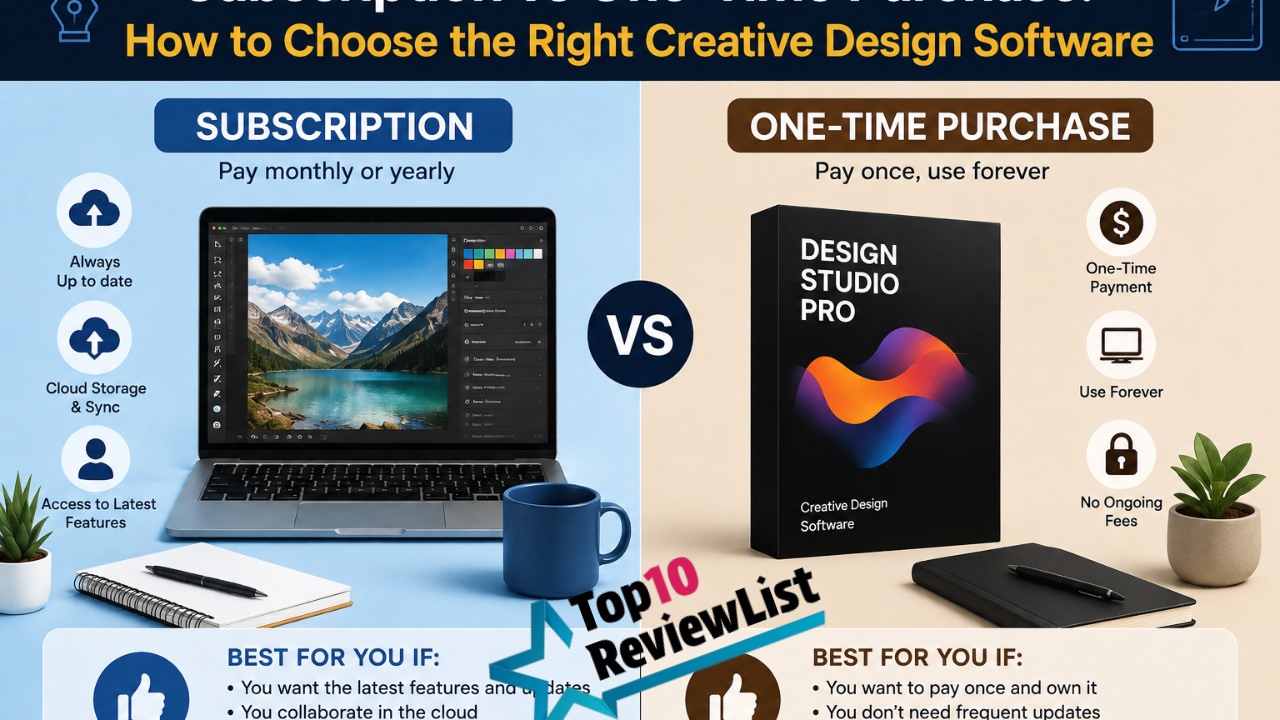
Subscription vs One-Time Purchase: How to Choose the Right Creative Design Software
If you’ve shopped for design, photo editing, or video editing software in the past few years, you’ve likely noticed the industry has shifted heavily toward subscription-based pricing, often called Software as a Service (SaaS). While one-time purchase software still exists, it’s become the exception rather than the rule for professional-grade creative tools, and understanding the real trade-offs between these two pricing models can save you from either overpaying long-term or under-investing in tools you actually need.
This guide breaks down exactly how subscription and one-time purchase models differ, the genuine pros and cons of each, and a framework for figuring out which approach actually makes financial and practical sense for your specific situation — whether you’re a hobbyist, freelancer, small business, or part of a larger creative team.
How Subscription Pricing Actually Works
Subscription software typically charges a recurring fee — monthly or annually — for continued access to the software. Miss a payment or cancel, and you generally lose access entirely, including to files created within the software’s proprietary formats in some cases, though most reputable providers allow you to at least export your work before losing full editing access.
In exchange for ongoing payment, subscription models typically provide continuous access to new features and updates as they’re released, cloud storage and sync capabilities bundled into the price, and often lower upfront cost barriers, since you’re not paying for the full software value in one lump sum.
How One-Time Purchase (Perpetual License) Pricing Works
Perpetual license software involves a single upfront payment that grants indefinite use of that specific version of the software, without ongoing fees. You typically won’t receive major new feature updates without paying for a new version down the line, though minor bug fixes and security patches are sometimes still provided for a limited period after purchase.
This model puts more of the cost burden upfront but eliminates ongoing payment obligations, meaning your total cost is fixed and predictable from the moment of purchase, regardless of how long you continue using that specific version.
The Real Cost Comparison — Why It’s Not Always Obvious
On the surface, subscription pricing often looks cheaper month-to-month, which is part of why it’s become so popular from a business adoption perspective. But the real cost comparison depends heavily on how long you plan to use the software and how frequently you actually need new features.
For someone using creative software occasionally over several years, a one-time purchase can end up significantly cheaper in total cost, even if the upfront price feels steep. For someone using software daily as a core part of their professional workflow, particularly in a fast-evolving category like AI-assisted design tools, the ongoing subscription cost may be genuinely justified by continuous access to new capabilities that would otherwise require expensive, repeated upgrade purchases under the old perpetual license model.
The key calculation worth doing before choosing: estimate your expected years of use, multiply the subscription’s annual cost by that number, and compare it against the one-time purchase price (factoring in that you may eventually want or need to upgrade the perpetual license too, at additional cost, if your needs change significantly).
Advantages of Subscription Models
Continuous Feature Updates
Subscription users typically get every new feature as it’s released, without needing to pay for a version upgrade. In categories where AI capabilities are advancing rapidly, this can mean meaningful capability improvements arriving every few months rather than being stuck with a static feature set until your next purchase cycle.
Lower Upfront Cost
Since the total cost is spread over time rather than paid in one lump sum, subscription models lower the initial barrier to entry, which can be particularly valuable for freelancers, students, or small businesses managing tight upfront budgets.
Bundled Cloud Storage and Sync
Many subscription plans include cloud storage and cross-device sync as part of the package, which would otherwise require separate third-party services or manual file management if you were using standalone, perpetually licensed software.
Easier Multi-Device and Team Access
Subscription models, particularly business or team tiers, often include streamlined licensing for using the software across multiple devices or team members, with centralised billing and account management that can be considerably more convenient than managing individual perpetual licenses across a team.
Flexibility to Cancel
If your needs change or you stop using the software regularly, you can simply cancel a subscription without having paid for capability you’re no longer using — a genuine advantage over a large upfront perpetual license purchase for software you later abandon.
Disadvantages of Subscription Models
Ongoing Cost Forever
The most significant downside is that the cost never stops as long as you need access to the software — there’s no point at which you’ve “paid it off” the way you would with a one-time purchase, which can add up to a substantial total cost over many years of continuous use.
Loss of Access if You Stop Paying
If you cancel or your payment lapses, you typically lose editing access to the software, and in some cases, to previously created files in proprietary formats, until you resubscribe. This creates an ongoing dependency that doesn’t exist with a perpetual license you own outright.
Price Increases Over Time
Subscription pricing isn’t fixed forever — providers periodically raise prices, and as a subscriber, you’re generally locked into accepting these increases or losing access entirely, unlike a one-time purchase where the price you paid is the price you paid, regardless of later pricing changes.
Potential Feature Gating Behind Usage Limits
Increasingly, even paid subscriptions include usage-based limits on the most advanced features (particularly AI-powered tools), meaning your subscription fee doesn’t always guarantee genuinely unlimited access to everything the software offers, which can be a frustrating discovery for heavy users.
Advantages of One-Time Purchase (Perpetual License) Models
Predictable, Fixed Total Cost
Once you’ve paid for the software, that’s the total cost — no ongoing fees, no surprise price increases, and no risk of losing access if you decide to pause your creative work for an extended period and come back to it later.
True Ownership
You own your specific version of the software indefinitely, meaning you can continue using it for as long as it remains compatible with your operating system, without any dependency on continued payment or an active internet connection for licensing verification (though this varies by specific software and how it handles license validation).
No Feature or Usage Gating Concerns
Since you’re not paying an ongoing fee, there’s typically no expectation of continuously expanding usage limits or credit systems gating advanced features — what you purchased is generally what you get, without needing to manage a monthly allowance of AI generation credits or similar restrictions.
Disadvantages of One-Time Purchase Models
Higher Upfront Cost
The full value of the software is paid at once, which can be a genuine barrier for freelancers, students, or small businesses working with limited upfront budgets, even if the long-term total cost ends up favourable.
No Automatic Access to New Features
Once purchased, you’re generally locked into that version’s feature set. New capabilities — particularly significant ones like emerging AI tools — typically require purchasing an upgraded version at additional cost, rather than being included automatically the way subscription updates are.
Increasingly Rare for Cutting-Edge Categories
Many software categories, particularly those heavily integrating AI features, have moved almost entirely to subscription models, meaning perpetual license options may simply not be available for genuinely cutting-edge capability, forcing a choice between accepting an older feature set or switching to subscription pricing regardless of preference.
A Practical Framework for Choosing
If You Use Creative Software as Your Primary, Daily Professional Tool
Subscription models often make more practical sense here, since continuous access to new features, cloud collaboration tools, and cross-device sync tend to justify the ongoing cost for someone whose livelihood depends on staying current with the software’s capabilities.
If You Use Creative Software Occasionally or Seasonally
A one-time purchase, where available, is often more cost-effective, since you avoid paying for months or years where you’re not actively using the software, and older, stable feature sets are often entirely sufficient for occasional or hobbyist-level work.
If You’re a Student or Budget-Conscious Freelancer Just Starting Out
Subscription models’ lower upfront cost can make sense as an entry point, though it’s worth specifically checking for student discounts, seasonal promotions, or lower-cost tiers that may make the ongoing cost more manageable while you’re building your skills and client base.
If You Work in a Team or Business Setting
Subscription models generally offer smoother licensing management, centralised billing, and collaboration features that are difficult to replicate with individually purchased perpetual licenses spread across team members, making the ongoing cost easier to justify at an organisational level.
If Predictable Budgeting Is Your Top Priority
A one-time purchase offers the clearest, most predictable total cost, with no risk of future price increases or unexpected usage-based feature restrictions affecting your budget planning.
Hybrid and Alternative Approaches Worth Considering
It’s worth knowing that the subscription-versus-perpetual choice isn’t always strictly binary. Some providers offer perpetual licenses for a “frozen” feature set at a point in time, while still charging separately for optional ongoing updates or cloud services — effectively letting you pay once for core functionality while opting into subscription-style extras only if you want them.
Free and open-source alternatives have also become genuinely more capable in recent years, and for certain use cases, particularly straightforward editing tasks without heavy reliance on cutting-edge AI features, they can eliminate the subscription-versus-purchase dilemma entirely by removing licensing cost from the equation altogether, though usually with some trade-off in polish, support, or advanced feature availability compared to leading commercial options.
Questions to Ask Before Committing to Either Model
Before choosing, it’s worth explicitly answering a few questions: How many years do you realistically expect to use this specific software? How important is having the newest AI or feature updates to your actual work, versus a stable, “good enough” feature set that doesn’t change? Do you need cloud collaboration and multi-device sync, or are you working primarily on a single machine? And how would losing access affect you if you needed to pause payments temporarily — is that an acceptable risk, or does true ownership matter more to your peace of mind?
Answering these honestly, rather than defaulting to whichever pricing model is more heavily marketed or commonly recommended, tends to produce a more genuinely cost-effective and practically suitable decision.
Common Mistakes When Choosing Between Pricing Models
A frequent mistake is underestimating long-term subscription costs by focusing only on the attractive monthly price without projecting it forward across several years of continuous use, where the total cost can end up considerably higher than an equivalent one-time purchase would have been.
Another common issue is choosing a one-time purchase for a fast-evolving software category (like AI-powered design tools) and then feeling stuck with an outdated feature set within a year or two, unable to access newer capabilities without an expensive upgrade purchase — a mismatch between pricing model and how quickly the underlying technology is advancing.
Finally, some buyers overlook cancellation and data access terms until it’s too late, only discovering after cancelling a subscription that certain proprietary file formats become difficult to access without resubscribing. Reading the specific terms around file access and export options before committing to any subscription is a worthwhile precaution regardless of which pricing model you ultimately choose.
Industry Trends Shaping This Decision
Understanding the broader direction the software industry is heading can help contextualise which pricing model makes more sense for your specific category of creative work. Across design, photo editing, and video editing software broadly, the trend over the past decade has been a steady, near-universal shift toward subscription pricing, driven largely by the recurring computing costs of running AI-powered features (which require ongoing server infrastructure, unlike traditional, purely local processing tools) and by the more predictable, recurring revenue subscription models provide to software companies.
This trend means that even software categories that historically offered strong one-time purchase options are increasingly narrowing or eliminating those alternatives over time, particularly as AI capabilities become more central to the core product rather than an optional add-on. If you’re specifically seeking a one-time purchase option, it’s worth verifying it’s still actively supported and updated (at least for security and compatibility patches), rather than assuming a perpetual license option will remain available or well-maintained indefinitely, since some providers have quietly phased out perpetual licensing in favour of pushing existing customers toward subscription conversion over time.
How to Calculate Your Personal Break-Even Point
If you’re genuinely torn between the two models, running your own specific break-even calculation is more useful than general advice. Take the one-time purchase price and divide it by the subscription’s monthly cost — this gives you the number of months of subscription payments that would equal the perpetual license price. If you expect to use the software actively beyond that point, the one-time purchase likely represents better long-term value, assuming a comparable perpetual license option exists with the features you need.
It’s worth adjusting this calculation for a few realistic factors: whether you’d eventually want to upgrade a perpetual license anyway as your needs evolve (adding to its effective long-term cost), and whether the subscription’s bundled extras (cloud storage, continuous AI feature updates, multi-device sync) have genuine value to your specific workflow that a perpetual license wouldn’t include, since these aren’t usually reflected in a pure price-per-month comparison.
Frequently Asked Questions
Can I switch from a subscription to a one-time purchase later if I change my mind?
This depends entirely on whether the specific software you’re using offers a perpetual license option at all — many modern, especially AI-heavy tools have moved to subscription-only models with no equivalent one-time purchase alternative available, so it’s worth checking this before assuming you can switch later.
Do subscription prices ever go down over time?
While promotional discounts and seasonal offers do occur, base subscription pricing for established software categories has generally trended upward over time rather than downward, particularly as AI features become more central to core functionality and providers factor in the computing costs of running these features.
Is it possible to lose my files entirely if I cancel a subscription?
Reputable providers generally allow you to export your work in standard, non-proprietary formats before or after cancelling, though you typically lose the ability to further edit files in the software’s proprietary, layered format until you resubscribe. It’s worth checking specific cancellation and data access policies before committing to any subscription-based tool.
Are free alternatives a viable long-term replacement for paid software?
For many everyday editing and design tasks, yes — free and open-source tools have improved substantially and can be genuinely sufficient for straightforward work. For advanced, cutting-edge AI features or highly specialised professional workflows, paid options (whether subscription or perpetual license) still generally offer a meaningful capability advantage, though this gap continues to narrow over time.
Final Thoughts
There’s no universally “better” choice between subscription and one-time purchase creative software — the right decision depends on how you actually use the tool, how long you plan to use it, how important continuous access to new features is to your specific work, and how you weigh predictable fixed costs against ongoing flexibility.
Run the honest, multi-year cost comparison rather than judging based on sticker price alone, factor in how quickly your specific software category is evolving, and choose the pricing model that matches your actual usage pattern rather than defaulting to whichever option is currently most heavily promoted or commonly assumed to be the default choice.