

The xTool P2S is a desktop CO₂ laser cutter and engraver designed for makers, small businesses, and workshops that need more cutting power and workspace than a typical entry-level diode laser. Its 55W laser can cut materials such as wood and acrylic and engrave on surfaces including glass and some metals. But is the xTool P2S the right machine for your projects? This review looks at its specifications, everyday use, realistic project ideas, and the trade-offs to consider before buying.
What is the xTool P2S?
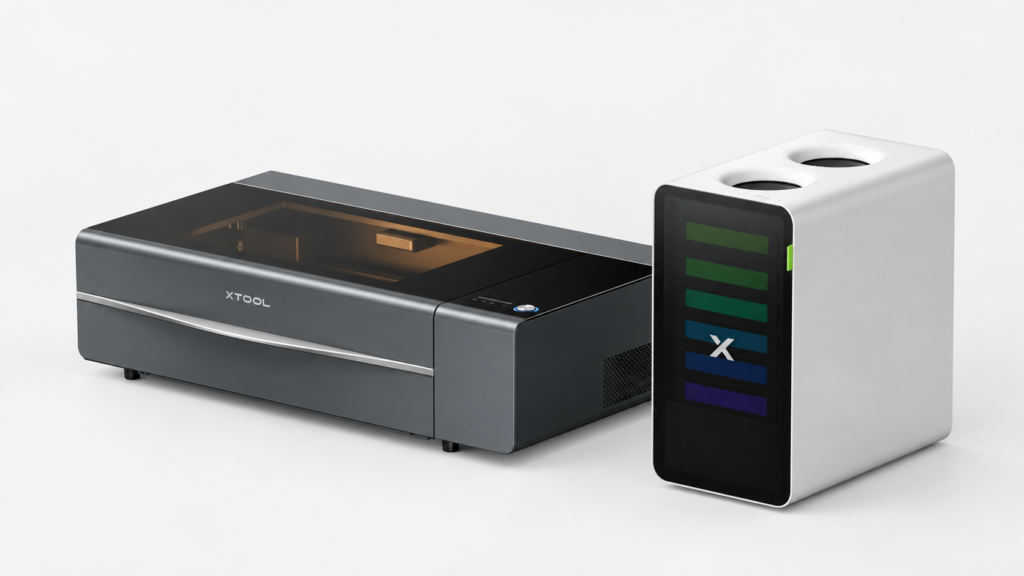
The xTool P2S uses a 55W CO₂ laser. Its listed working area is 600 × 305 mm (23.6 × 12 inches), and xTool lists a maximum engraving speed of 600 mm/s. The machine weighs about 45 kg and measures approximately 1000 × 639 × 268 mm, so it needs a sturdy bench and a dedicated place in your workspace.
The P2S has a built-in camera system for positioning designs, autofocus, and LiDAR ranging. These features can help with placing artwork and setting up jobs, especially when you engrave on material already cut to shape. They can reduce setup friction, but they do not guarantee perfect alignment or eliminate the need to check the job preview before starting.
The machine works with xTool Studio and LightBurn, and supports common file types such as SVG, DXF, JPG, PNG, and BMP. For someone moving from basic craft software, expect a learning period: preparing vector files, choosing cut or engrave settings, and arranging jobs efficiently all take practice.
What materials can the xTool P2S cut or engrave?
The xTool P2S can cut materials including wood, acrylic, fabric, and leather. It can also engrave materials such as glass, bamboo, ceramic, and certain coated or anodized metals. CO₂ lasers are particularly useful for acrylic work, including clear acrylic, and for cutting sheet materials into signs, ornaments, and components.
There are important limits. The P2S is not a metal-cutting machine, and it cannot cut glass or ceramic. It can mark or engrave some metal surfaces, but the result depends on the metal and its coating. For stainless steel, xTool notes that a marking coating may be needed. If your main goal is deep metal engraving, a fiber laser may be a better fit than a CO₂ machine.
Material thickness claims also need context. xTool lists maximum one-pass cuts of up to 18 mm basswood and 20 mm acrylic under specified conditions. Those are not guarantees for every board or sheet. Material quality, adhesive, color, moisture, focus, ventilation, and settings can all change the result. For unfamiliar materials, run a small test on scrap first and use recommended settings as a starting point.
Never laser-cut PVC or unknown plastics. PVC and chlorine-containing materials can release hazardous, corrosive fumes; some other plastics can also produce harmful emissions. Check the material composition and xTool’s safety guidance before processing it.
xTool P2S project ideas
1. Layered plywood signs
Cut lettering, shapes, and borders from thin plywood, then stack the pieces to create dimensional wall signs, business displays, or personalized name plaques. The working area lets you arrange multiple smaller components in one job, which can help with repeat orders.
2. Acrylic business signage
Make desk signs, menu holders, QR-code displays, or product labels from acrylic. Clear and colored acrylic can support a polished look, though you’ll need to plan for edge finish, material thickness, and mounting. Always test a sample before producing a full batch.
3. Engraved glass gifts
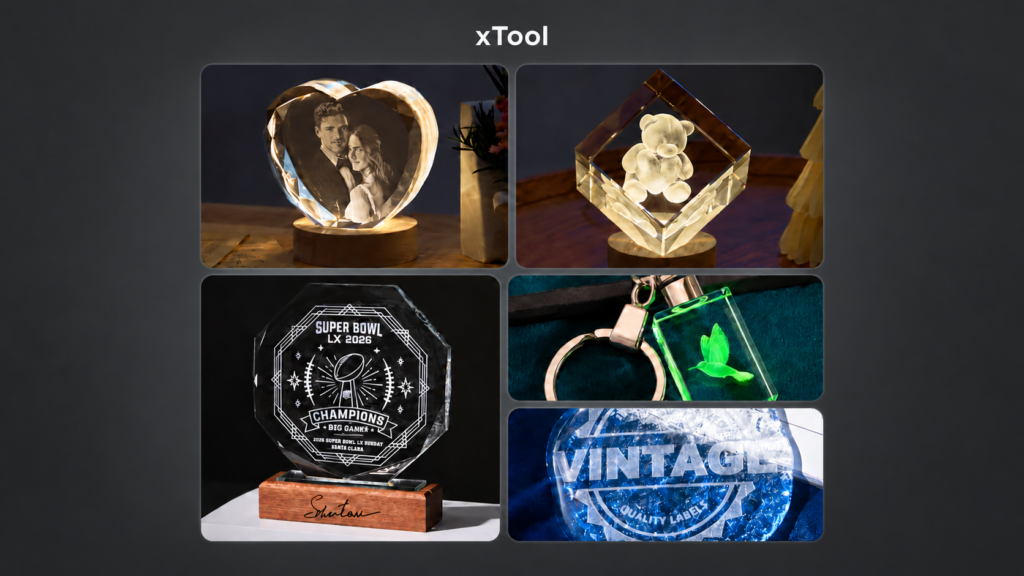
The xTool P2S can engrave designs onto suitable glass items, making it useful for personalized keepsakes, jars, or awards. Curved objects may require a compatible rotary attachment and careful setup. Test the design first, since glass type and surface shape affect the final appearance.
4. Custom ornaments and event pieces
Cut wood or acrylic into holiday ornaments, table numbers, place cards, or cake toppers. These projects can be produced in batches, but small details may need careful design so thin parts do not break during handling.
5. Leather patches and tags
The P2S can cut or engrave suitable leather for labels, tags, and patches. Confirm the material is laser-safe and know whether it is genuine leather or a synthetic substitute. Avoid unknown faux leather, especially if its composition is unclear.
What is realistic about daily use?
The P2S is a capable machine, but owning it involves more than pressing “start.” You’ll need to plan exhaust ventilation or an appropriate air-purification setup, manage smoke and odors, and keep the work area clean. Laser cutting can ignite flammable materials, so stay nearby during operation and keep suitable fire-safety equipment accessible. xTool’s safety guidance says not to process PVC or unknown materials and to supervise laser work.
Maintenance is part of the routine. Smoke residue can collect on optical components and inside the machine, affecting cut quality. Regularly inspect and clean the mirrors, lens, exhaust fan, slats, and work area according to the manufacturer’s instructions. CO₂ laser tubes also lose output over time and may eventually need replacement.
The P2S is also a significant purchase and a large piece of equipment. Factor in the machine, ventilation, materials, accessories, maintenance, and the time needed to learn the workflow. If you only need occasional engraving on small items, a compact diode or portable engraver may cost less and take up less room.
Is the xTool P2S worth it?
The xTool P2S is worth considering if you regularly cut wood or acrylic, need a larger enclosed work area, or want to produce personalized products in small batches. Its 55W CO₂ laser, camera-assisted positioning, autofocus, and software options make it a versatile workshop tool.
It may not be the best choice if your priority is cutting metal, if you have no practical way to manage exhaust, or if you only expect to use a laser occasionally. Compare the P2S with other xTool models based on the materials you actually plan to process, the size of your projects, and your available workspace.
Overall, the xTool P2S offers substantial capability, but the best results still depend on safe material choices, tested settings, good ventilation, and regular maintenance. For makers and small businesses with suitable projects and workspace, it can be a productive addition. For casual users, its size, setup needs, and total cost deserve careful consideration before purchase.