
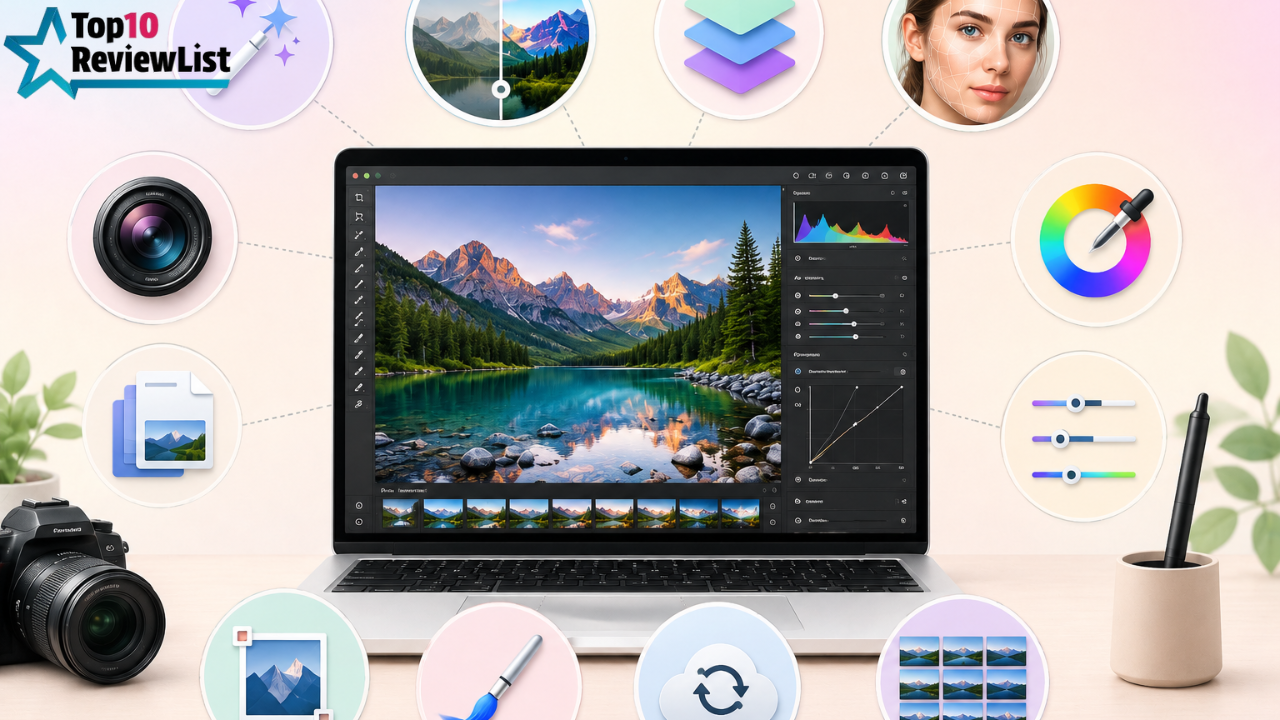
Top 10 Features to Look for in Photo Editing Software (2026 Buying Guide)
Photo editing software has changed dramatically over the past few years. What used to be a fairly straightforward toolkit of crop, color correction, and layer-based compositing has evolved into something far more powerful and far more confusing to shop for. AI-assisted selection tools, generative fill, cloud-based collaboration, and non-destructive editing workflows are now standard expectations rather than premium extras, and the gap between a genuinely capable editor and a stripped-down, marketing-heavy app has never been wider.
Whether you’re a hobbyist photographer, a content creator, a small business owner handling your own product photography, or a design professional evaluating your next tool, this guide breaks down the ten features that actually matter when choosing photo editing software in 2026 – what each feature does, why it matters and how to tell genuine capability from marketing dressing.
1. Non-Destructive Editing
Non-destructive editing means that your original image file remains untouched, while all your adjustments – color correction, cropping, retouching, and filters – are stored as a separate, editable layer of instructions rather than being permanently baked into the pixels. This matters enormously because it lets you revisit, tweak, or completely undo any edit at any point in your workflow, even after saving and closing a project, without ever losing your original source image.
What to look for: Software that clearly separates “adjustments” from the base image, with an easily accessible history or edit panel that lets you toggle, reorder, or delete individual changes without affecting the rest of your work. Avoid tools that only offer destructive, one-way filters with no way to revert.
2. Layer-Based Compositing
Layers allow you to stack multiple images, adjustment effects, and text elements on top of each other, each independently editable, movable, and able to have its own blending mode, opacity, and mask. This is foundational to any serious compositing, retouching, or graphic design work; without layers, you are limited to editing a single flattened image at a time, which severely restricts what is possible.
What to look for: Support for layer groups (for organizing complex projects), layer masks (for non-destructive selective editing), and a reasonable range of blending modes (multiply, screen, overlay, and so on) that allow you to control exactly how layers interact visually.
3. AI-Powered Selection and Masking Tools
One of the most significant advances in recent photo editing software has been the shift from painstaking manual selection (using lasso or pen tools) toward AI-assisted selection that can automatically detect subjects, skies, hair, and other complex edges with a single click. This has dramatically reduced the time needed for tasks that used to require significant manual skill and patience.
What to look for: Tools that specifically describe the use of object recognition or subject detection, ideally with the ability to fine-tune the AI’s initial selection manually afterward, since even good AI selection tools occasionally require manual correction around fine details, such as hair or fur.
4. Generative AI Fill and Extend
Generative AI editing, where the software can generate new image content to fill a selected area, extend a photo’s canvas beyond its original borders, or remove unwanted objects and intelligently fill the gap, has moved from a novelty feature to a genuinely useful production tool. This is particularly valuable for removing distracting background elements, extending a photo’s aspect ratio for different platforms, or filling in areas after cropping without leaving visible gaps.
What to look for: Generative fill quality varies significantly between tools, so look for reviews or sample comparisons showing how well the software matches lighting, texture, and perspective in generated content. In addition, check whether the tool is designed to produce commercially safe output (trained on licensed content) if you plan to use edited images for client or commercial work, as this affects licensing risk.
5. Advanced Retouching Tools
Beyond basic clone stamp and healing brush tools, modern photo editing software increasingly includes AI-assisted retouching specifically tuned for skin, portraits and complex textures’ smoothing skin tone while preserving natural texture, removing blemishes without the “plastic” over-smoothed look common with older healing tools, and handling frequency separation-style retouching with far less manual layering than traditional techniques required.
What to look for: Dedicated portrait or skin retouching tools (rather than generic healing brushes repurposed for the job), and ideally some level of adjustable intensity so you can dial retouching up or down rather than getting an all-or-nothing result.
6. RAW File Processing and Colour Grading
If you shoot in RAW format (common among photographers using dedicated cameras rather than phone cameras), your editing software needs robust RAW processing capability proper handling of dynamic range, white balance, and color profiles specific to your camera sensor, rather than treating RAW files like a standard JPEG with extra steps.
What to look for: Dedicated RAW processing modules with camera-specific colour profile support, non-destructive exposure and white balance adjustment, and ideally colour grading tools (like colour wheels or curves) that go beyond basic brightness and contrast sliders for more precise creative control.
7. Batch Processing and Automation
For anyone editing large volumes of photos product photography, event photography, or repetitive social content -the ability to apply a consistent edit or preset across dozens or hundreds of images simultaneously is a massive time-saver compared to editing each photo individually from scratch.
What to look for: Batch export and batch-apply preset functionality, ideally combined with the ability to create and save your own custom presets or actions, rather than being limited to a fixed library of built-in filters.
8. Cloud Sync and Cross-Device Access
Increasingly, photo editing workflows span multiple devices starting an edit on a desktop, reviewing or making quick adjustments on a tablet or phone, and syncing changes automatically without manually transferring files. This has become particularly relevant as more editing software adds capable mobile and web-based versions alongside traditional desktop apps.
What to look for: Genuine cloud sync (not just cloud storage for finished exports) that keeps your edit history and adjustments consistent across devices, and check storage limits carefully, since cloud storage tiers can vary significantly and become a real cost factor for photographers working with large RAW file libraries.
9. Plugin and Extension Support
No single piece of software does everything perfectly, and the ability to extend your editor’s core functionality through third-party plugins — for specialised noise reduction, unique artistic filters, panel enhancements, or workflow automation can significantly expand what’s possible without switching to an entirely different tool.
What to look for: An active, well-documented plugin ecosystem with a reasonable number of actively maintained third-party options, rather than a technically “open” plugin architecture that few developers have actually built for.
10. Export Flexibility and File Format Support
Finally, how your finished work leaves the software matters as much as how you create it. Different platforms and use cases require different file formats, color profiles, resolutions, and compression settings – social media, print, web, and client delivery all have different technical requirements.
What to look for: Support for a wide range of export formats (JPEG, PNG, TIFF, PSD, and increasingly WebP for web use), colour profile embedding options (particularly important for print work), and ideally export presets tailored to common destinations like specific social platforms or print services.
Understanding AI Credits and Usage-Based Limits
A growing number of photo editing platforms now gate their most advanced AI features – generative fill, AI upscaling, and automated background generation among them behind a credit or usage-based system rather than offering truly unlimited access even within a paid subscription. This is a meaningful shift from the traditional “pay once, use unlimited” software model, and it’s worth understanding before committing to a plan, particularly if your workflow involves heavy generative AI use.
What to look for: Clear, upfront documentation of exactly how credits are calculated (per generation, per resolution, per feature used), what happens when you exhaust your monthly allowance (some tools throttle speed, others block the feature entirely until the next cycle or an add-on purchase), and whether unused credits roll over or expire. Vague or hard-to-find credit documentation is often a sign that actual usage limits are more restrictive than marketing materials initially suggest.
Performance and Hardware Requirements
AI-powered features, especially generative fill and advanced object recognition, are computationally demanding, and software performance can vary dramatically depending on your hardware – particularly whether the software can take advantage of GPU acceleration rather than relying entirely on CPU processing. This matters more with each software generation, as AI features become more central to core editing workflows rather than optional add-ons.
What to look for: Published minimum and recommended hardware specifications, ideally with clear guidance on which specific features benefit most from GPU acceleration, RAM requirements for large file batch processing, and whether the software has been optimised for newer processor architectures, since older, unoptimised software can run surprisingly poorly even on otherwise capable modern hardware.
Free vs Paid Photo Editing Software -What You Actually Give Up
Free photo editing tools have improved substantially in recent years, and for casual editing needs, they can genuinely be sufficient. However, there are consistent gaps worth understanding before assuming free tools cover everything paid software offers.
Free tools generally lag furthest behind on AI-powered features specifically, since generative fill, advanced object recognition, and AI retouching require significant ongoing model training and computing infrastructure that’s expensive to maintain – this is where the gap between free and paid options tends to be widest and most noticeable. Free tools also frequently have more limited RAW format support, since supporting the constantly expanding list of camera-specific RAW formats requires ongoing development investment that free, community-maintained projects often can’t sustain at the same pace as commercial software.
Where free tools often hold up well is in core layer-based editing, basic retouching, and standard export functionality the fundamentals that have been well-established for years and don’t require cutting-edge AI infrastructure to execute competently.
Desktop vs Web-Based Editing Software
An increasing number of photo editing tools now offer capable browser-based versions alongside (or sometimes instead of) traditional desktop installations. Web-based editors offer genuine convenience – no installation, automatic updates, and easy access from any device with a browser but typically come with trade-offs in raw processing power, especially for large files or computationally heavy tasks like advanced generative AI features, which often perform better with local hardware acceleration.
For casual editing, quick social content, or working across multiple devices without installing software everywhere, web-based tools are often genuinely sufficient. For serious RAW photo processing, large-scale batch work, or advanced generative AI features, desktop software still generally offers a performance and capability edge, particularly on capable hardware.
Subscription vs Perpetual License Considerations
Increasingly, photo editing software is moving toward subscription pricing models rather than one-time purchase licenses, which affects both cost planning and feature access. Subscription models typically provide continuous access to new features and AI capabilities as they’re released, but represent an ongoing cost rather than a single upfront investment. Perpetual license software (where available) offers a fixed one-time cost but often means missing out on newer AI-powered features added after your purchase, since these updates are increasingly reserved for actively subscribed users.
This is worth factoring into your decision based on how frequently you edit photos and how much you value having the newest AI capabilities as they’re released versus a stable, one-time-purchase tool that does what you need without ongoing costs.
Common Mistakes When Choosing Photo Editing Software
A frequent mistake is choosing software based purely on brand recognition or what’s most commonly recommended online, without actually testing whether its specific strengths (say, heavy AI generative tools) align with your actual editing needs (say, primarily batch processing product photos, where AI generative fill matters far less than solid batch automation).
Another common issue is underestimating the learning curve of more powerful, professional-grade software when your actual needs are fairly simple. If you’re mainly doing basic cropping, colour correction, and social media graphics, a full professional suite with dozens of advanced tools can slow you down rather than help, compared to a more streamlined tool built specifically for quick, template-driven editing.
Finally, some buyers overlook file compatibility until it becomes a problem working with layered PSD-style files across different software, or needing specific RAW format support for a newer camera, can create frustrating compatibility issues if not checked before committing to a particular tool or ecosystem.
Matching Software to Your Specific Use Case
Hobbyist Photographers
Prioritise solid RAW processing, non-destructive editing, and reasonably priced or free access, since advanced AI generative features and heavy batch automation tools are less critical for occasional personal photo editing.
Content Creators and Social Media Managers
Batch processing, export flexibility across multiple aspect ratios and formats, and AI-assisted quick edits (like automatic background removal or subject selection) tend to matter more than deep RAW processing capability, given the fast turnaround and volume typical of this kind of work.
E-Commerce and Product Photography
Batch processing and consistent preset application across large photo sets are critical here, alongside strong background removal and compositing tools for creating clean, consistent product shots across a catalogue.
Professional Retouchers and Designers
Advanced layer-based compositing, plugin support, precise colour grading tools, and high-quality AI retouching become the priority, since this work typically demands the most granular creative control and flexibility available.
Frequently Asked Questions
Do I need RAW support if I only shoot on my phone?
Most modern smartphones can shoot in RAW format (sometimes called ProRAW or DNG depending on the device), so RAW support is still relevant even for phone photographers who want maximum editing flexibility, though it’s less critical if you’re consistently shooting and editing standard JPEG images only.
Is AI generative fill reliable enough for professional client work?
Quality varies significantly between tools and continues to improve rapidly. For straightforward tasks like removing small distracting elements or extending simple backgrounds, most modern generative tools perform quite well. For more complex scenarios involving intricate detail, lighting, or texture matching, manual review and touch-ups are still generally advisable before final delivery.
How much does cloud storage typically cost on top of software licensing?
This varies significantly by provider and storage tier, and for photographers working with large RAW file libraries, cloud storage costs can meaningfully add to the overall cost of a subscription-based editing tool. It’s worth checking storage allowances carefully and calculating your typical monthly file volume before assuming a base subscription tier will be sufficient.
Can I switch between different photo editing software without losing my edit history?
This depends heavily on file format compatibility. Layered files (like PSD) generally transfer reasonably well between different software that supports the format, though proprietary, software-specific edit history (like non-destructive adjustment layers unique to one tool) often doesn’t transfer perfectly to a different platform, meaning some rework may be needed if you switch tools mid-project.
Final Thoughts
The right photo editing software depends far more on matching features to your actual workflow than on chasing the most feature-packed or heavily marketed option available. A hobbyist photographer doing occasional personal edits has very different needs from an e-commerce business processing hundreds of product photos weekly, or a professional retoucher doing detailed client work — and the ten features outlined here should serve as a practical checklist for evaluating any tool against your specific use case.
Take advantage of free trials where available, test the AI-powered features specifically on your own typical images rather than relying purely on marketing demos, and prioritise the handful of features that genuinely matter for your workflow over a long list of capabilities you’re unlikely to use regularly.